DerScanner update: What if updating an on-premises scanner took one button
DerScanner on-premises installations now update through DerSecur Control Panel, one place in the browser that offers each new release as soon as it ships, backs up the data first and rolls back on its own if a step fails. Air-gapped servers update the same way from a signed delivery.
Content
Make Your Applications Secure Today
Sign up for a personalized demo to see how DerScanner can meet your Application Security needs
Many security professionals in regulated industries that run tools on their own servers know the associated routine. Each new version usually arrives with instructions and scripts, especially in an air-gapped environment where the update files have to be manually carried in.
Because of that teams tend to deprioritize updates, and tools may run older versions without important fixes or features. A failed update can break the whole working installation, and no one wants to ruin that.
DerSecur Control Panel moves on-premises updates from scheduled releases to continuous delivery: every new DerScanner version reaches the customer’s servers through one place in the browser.
What changes for the security team?
We made it as simple as it sounds. The panel automatically matches which DerScanner version runs on the server and which one is currently the latest, and offers the update as soon as a new release is available.
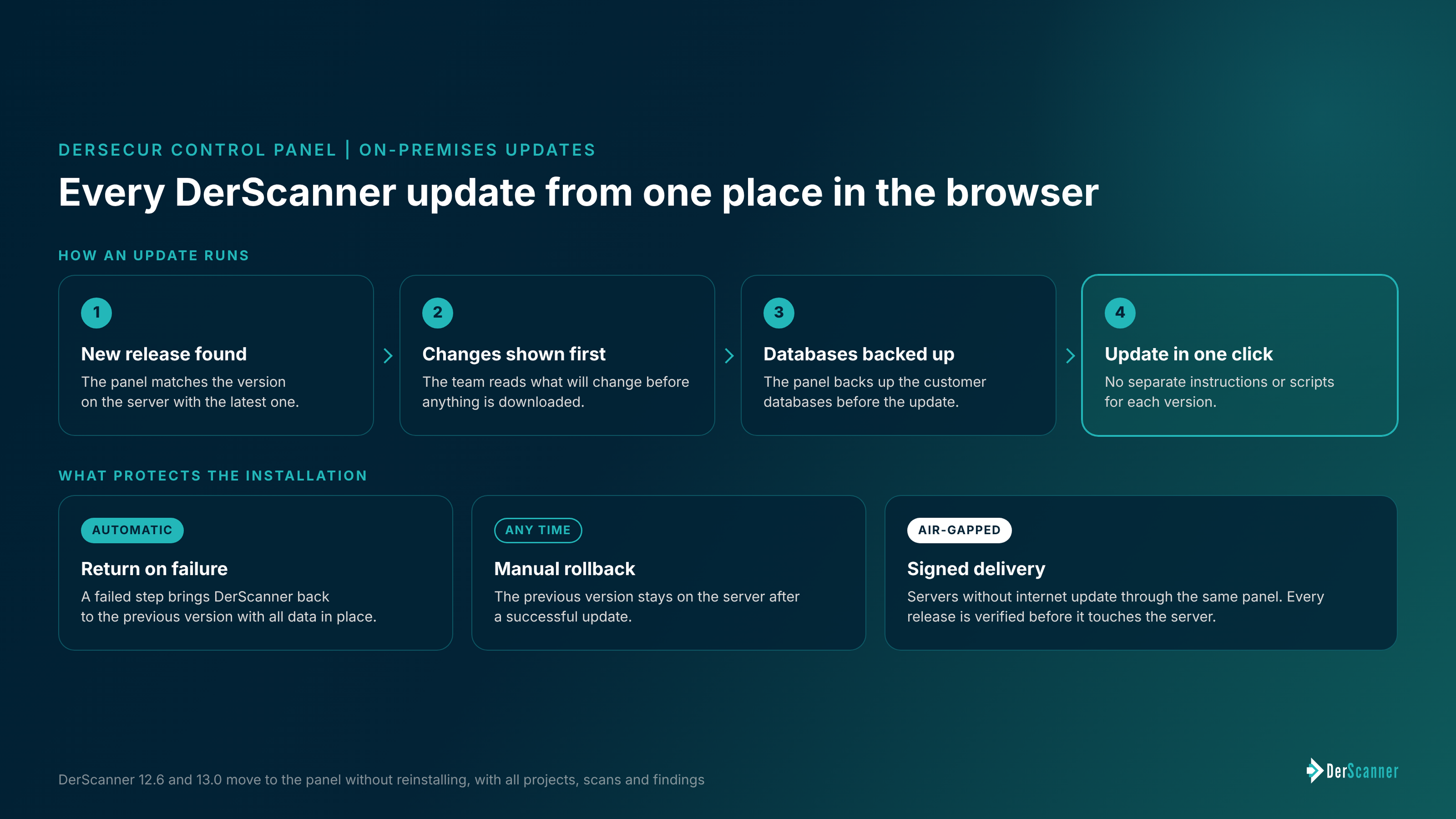
Before anything is downloaded, it shows what will change, and the update starts in one click. No more separate instructions for each version!
Before the update, the panel backs up the customer databases. If any step fails, DerScanner returns to the previous version on its own with all data in place. After a successful update the previous version also stays on the server, and the team can roll back to it at any time. Scans made after the update are not carried back.
Servers without internet access update from a signed delivery through the same panel, and the panel verifies every release before it touches the server. Products, scans and findings stay inside the customer’s perimeter.
Every new feature and fix becomes available through the panel as soon as it ships, and moving to a new version no longer needs to be planned as a separate migration.
What happens with older DerScanner versions?
Installations on DerScanner 12.6 and 13.0 move to DerSecur Control Panel without reinstalling: the panel will update them to the current version with all projects, scans and findings. To start using the DerSecur Control Panel, request the login at support@dersecur.com, we’ll send you the installation guide that will walk through each step.
Ready to Reduce Technical Debt and
Improve Security?
Clean code. Fewer risks. Stronger software